

In this chapter, let us study about Deleting content. You can delete any of the previously written content such as Articles, Basic page and Blog entry.
Following are the simple steps used to delete content.
Step 1 − Click the Content.

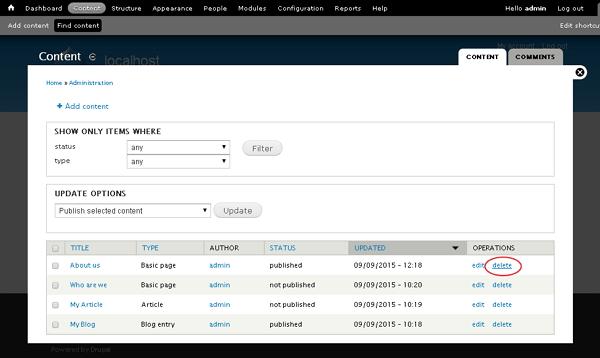
Step 2 − You can delete About us (About us page was created in the chapter Drupal - Create Content), and click the delete tab as shown in the following screen.
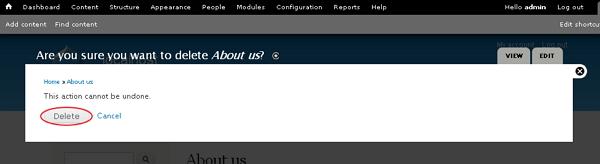
Step 3 − Next, you will see the following screen. You need to confirm deletion of the content. Click the Delete button if you want to delete or Cancel button if you want to cancel the process.
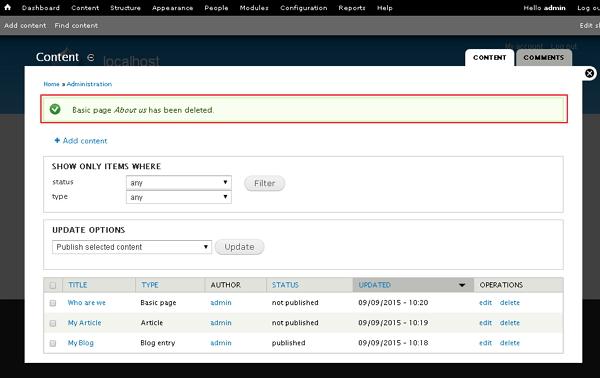
Step 4 − Immediately, you will see a confirmation message as your page has been deleted, as shown in the following screen.
The End! should you have any inquiries, we encourage you to reach out to the Vercaa Support Center without hesitation.
