

In this chapter, we will study about Comments in Drupal. You can enable or disable the comments on your website. You can control, who can comment on your website's content and who can manage those comments.
Following are the simple steps to configure comments in Drupal.
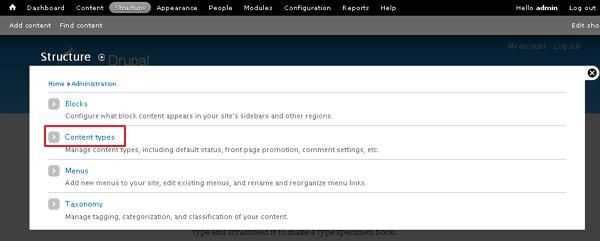
Step 1 − Go to Structure and click Content types as shown in the following screen.
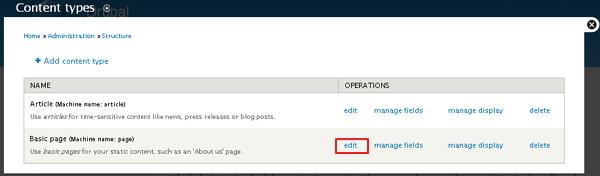
Step 2 − Click on Edit link that you would like to change the comment setting.
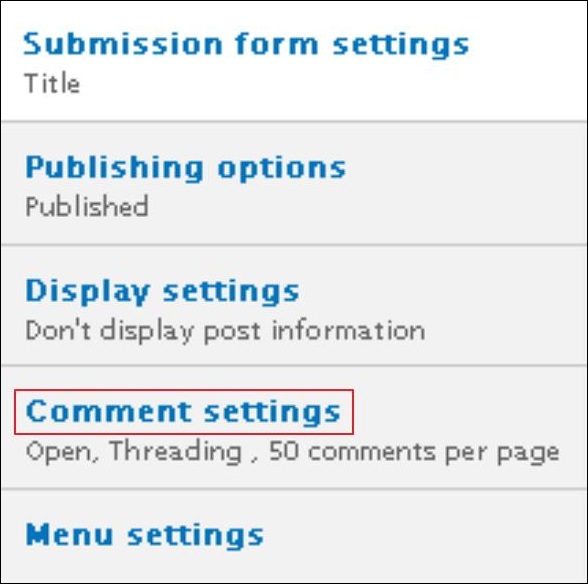
Step 3 − Click Comment settings category as shown in the following screen.
Step 4 − Select open from the drop-down menu under Default comment setting for new content. This will allow comments on your website.
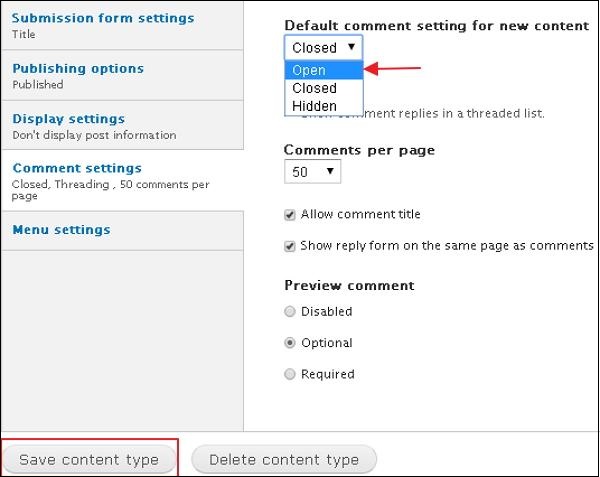
Click the Save Content type button to save your configuration settings.
The End! should you have any inquiries, we encourage you to reach out to the Vercaa Support Center without hesitation.
