

In general, discount is a amount or percentage deducted from the normal selling price of the product. It is the way of offering products for sale at a low or reduced price.
You can specify the discount for the products as defined in the below steps−
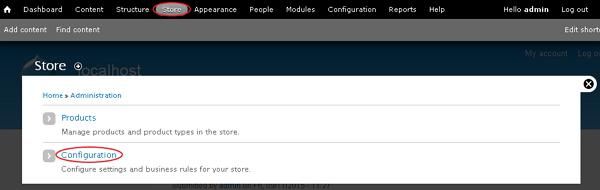
Step 1 − Go to Store and click Configuration.
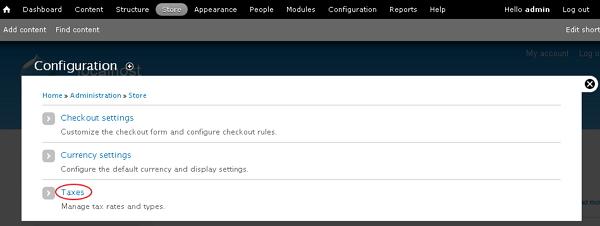
Step 2 − Click on the Taxes link which manages tax rates and types.
Step 3 − Go to TAX TYPES tab and click the Add a tax type link.
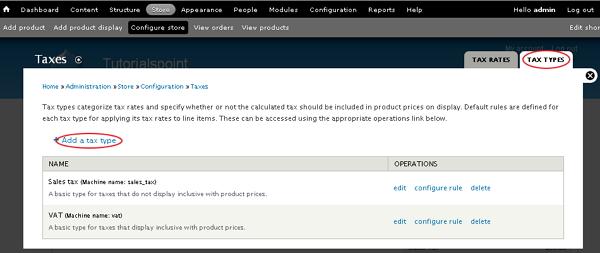
Step 4 − Tax types categorize tax rates and specify whether or not the calculated tax should be included in product prices on display.
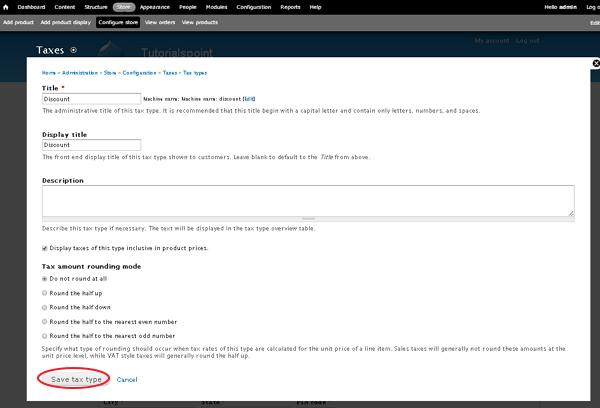
It contains some fields such as −
-
Title − It specifies the title of tax type.
-
Display title − It is the front-end display of the title of tax type shown to customers.
-
Description − It describes the tax type if necessary.
-
Tax amount rounding mode − Specifies what type of rounding should occur when tax rates of tax type are calculated for the unit price of a line item.
After filling all the details, click the Save tax type button.
Step 5 − Go to TAX RATES tab and click the Add a tax rate link.
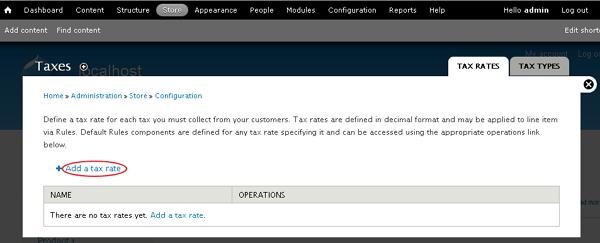
Step 6 − It will open the taxes window for adding tax rate to the product as shown in the following screen.
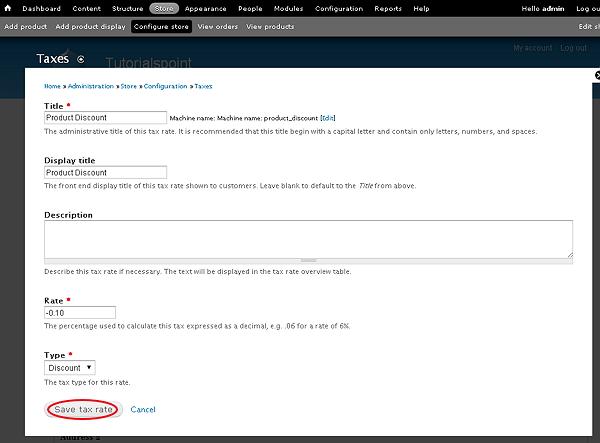
It contains some fields such as −
-
Title − It is the title of the tax rate.
-
Display title − It is the front-end display title of the tax rate shown to customers.
-
Description − It is used to describe the tax rate.
-
Rate − It is a percentage used to calculate the tax which is expressed as a decimal.
-
Type − It selects the tax type for the tax rate using drop-down menu.
After filling the details, click the Save tax rate button.
Step 7 − Once tax rate is saved, click the Home link.
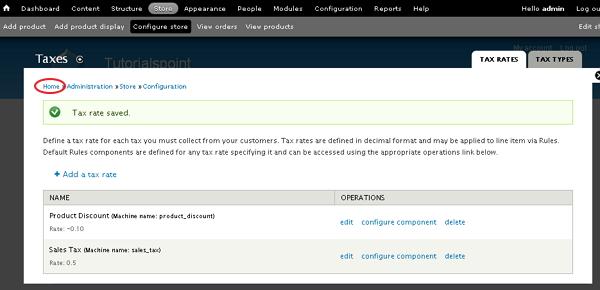
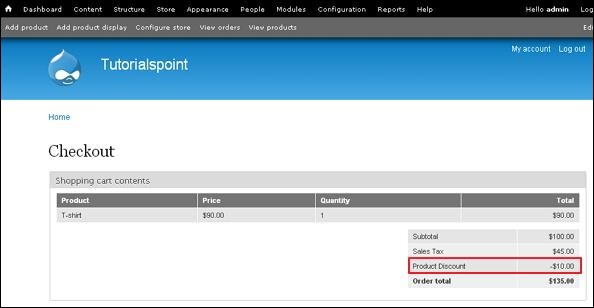
Step 8 − On the home page, click the Checkout link to see the shopping cart contents.
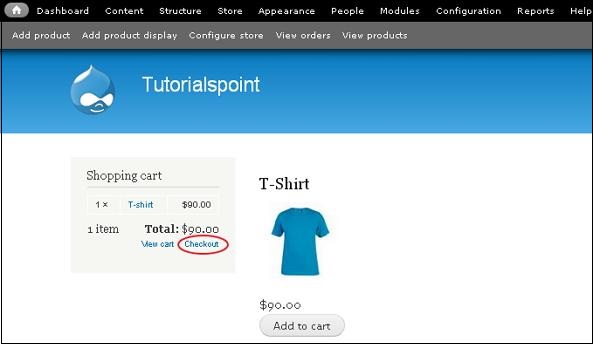
Step 9 − On the checkout page, you will see the discount for the product which is included in product price.
The End! should you have any inquiries, we encourage you to reach out to the Vercaa Support Center without hesitation.
